

HOW TO INITIATE A CASE
How to Initiate Case Management Services
- Fill out a Case Management Request Form
- Remit Payment for $250 to Initiate Service
The first Coordinated Service in each case is billed upfront.
All subsequent Coordinated Services for a case are invoiced upon completion of each service.
HOW TO SUBMIT A CASE MANAGEMENT REQUEST FORM
BioConnetiX offers multiple ways to submit a Case Management Request Form. Choose the option that best fits your workflow.
Option 1: Digital Submission & Payment (Recommended)
Estimated time to complete: ~3 minutes
Step 1 — Access the Form
Click the link below to open the Case Management Request Form in DocuSign.
Step 2 — Enter Signatory Information
You will first be prompted to enter your name and email address. This information identifies the signatory for Case Management authorization within DocuSign. (This step occurs before the form itself is displayed.)
Step 3 — Complete and Sign the Form
Fill out the Case Management Request Form electronically and complete the DocuSign signing process.
Step 4 — Submit Payment
After submitting the form, you will be directed to remit the $250 Case Initiation Fee, payable by credit card, debit card, or ACH.
Step 5 — Confirmation
A copy of the fully executed form and payment confirmation will be emailed to you automatically for your records.
Tip:
If you would like to review the Case Management Request Form before entering your information into DocuSign, you may view a PDF version of the form here.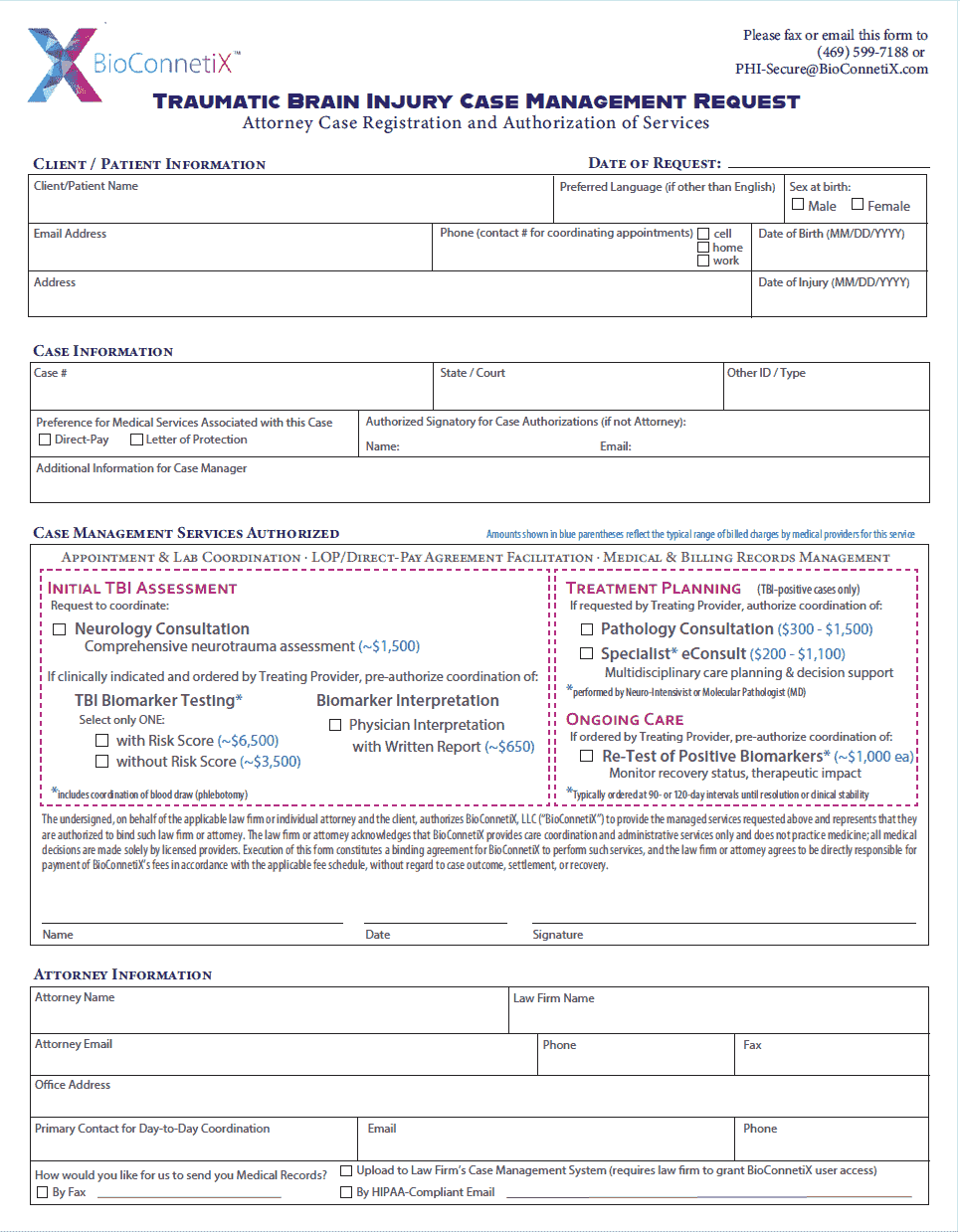
Case Management Request - Digital Submission via DocuSign
Traumatic Brain Injury (TBI) Biomarker Pathway
Complete fields, DocuSign, & remit payment in about 3 minutes.
Option 2: Paper or Manual Submission
If you prefer a paper form or manual process, follow the steps below.
Step 1 — Download the Form
Download a printable PDF version of the Case Management Request Form using the link below.Step 2 — Complete the Form
Complete the form electronically and save it, or print the form and complete it by hand.
If submitting a handwritten form by email or upload, please scan the completed form and save it as a PDF.Step 3 — Submit the Form
Send the completed Case Management Request Form to BioConnetiX using one of the following methods:- Fax: (469) 599-7188
- Secure Email: PHI-Secure@BioConnetiX.com
- Upload at Checkout: Upload the completed form during checkout when submitting payment
Step 4 — Submit Payment
Remit payment using the instructions provided through the applicable link below:Case Management Request Form (PDF)
Traumatic Brain Injury (TBI) Biomarker Pathway
Download the Case Management Request Form to register a new case or request additional case management services on an existing case. This form allows attorneys to select and pre-authorize specific coordination services on a case-by-case basis and initiate BioConnetiX case management.
